The webmail auto-responder replies on your behalf to messages received while you are away. It is set up directly in webmail, with the credentials of the mailbox concerned.
In short: in webmail, click More, then Settings, Auto-responder section: enable the Enable auto-responder option, enter your text and click Save. Disable it when you no longer need it.
Prerequisites
- Valid credentials for a SwissCenter email box.
- A web browser to access webmail.
How do I enable the auto-responder?
-
Log in to webmail with the credentials of the mailbox whose settings you wish to modify, for example from our main website at https://swisscenter.com/webmail, or with the Webmail button of the address in the email address list of your Apanel console.
-
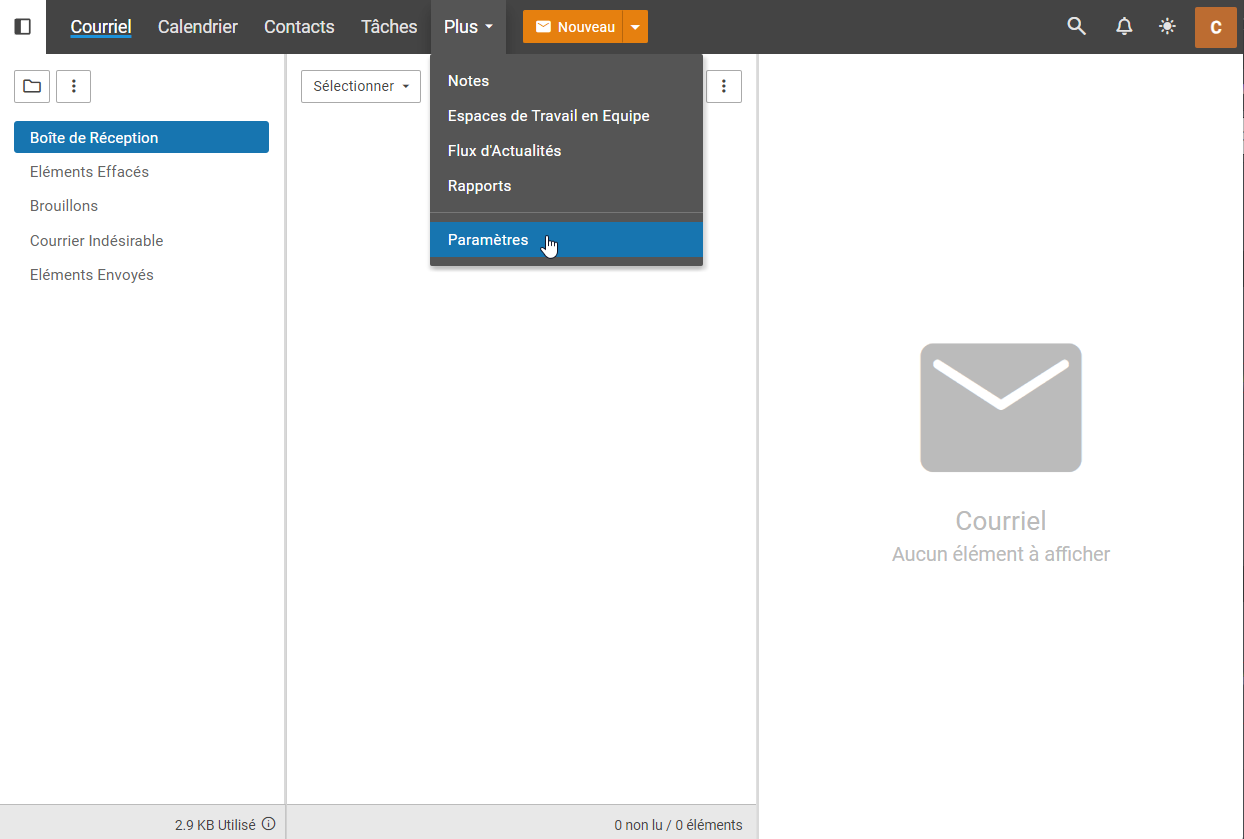
In the main menu, select the More tab, then the Settings submenu.
-
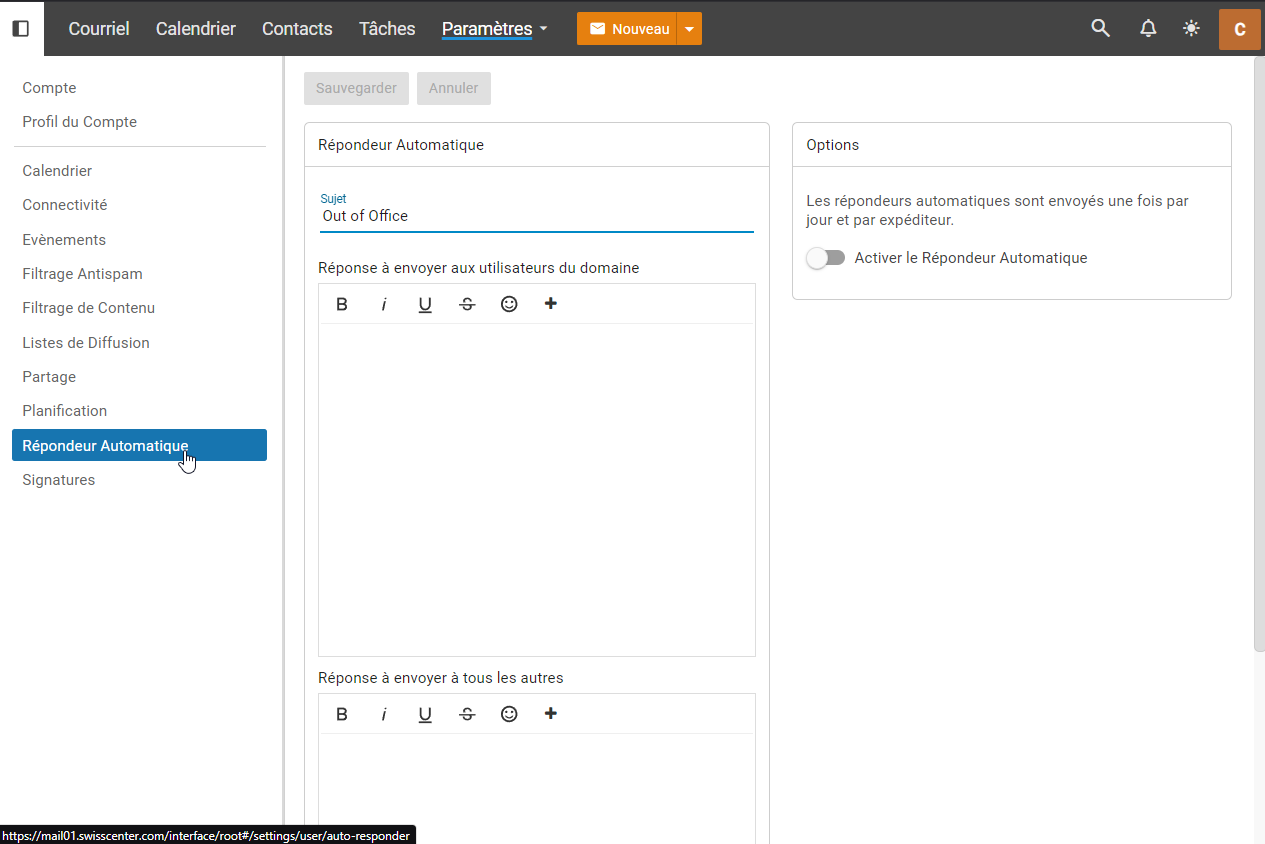
In the settings, select the Auto-responder section.
-
Enable the Enable auto-responder option.
-
Configure the various options according to your needs.
-
Enter the text returned by the auto-responder.
-
Click Save.
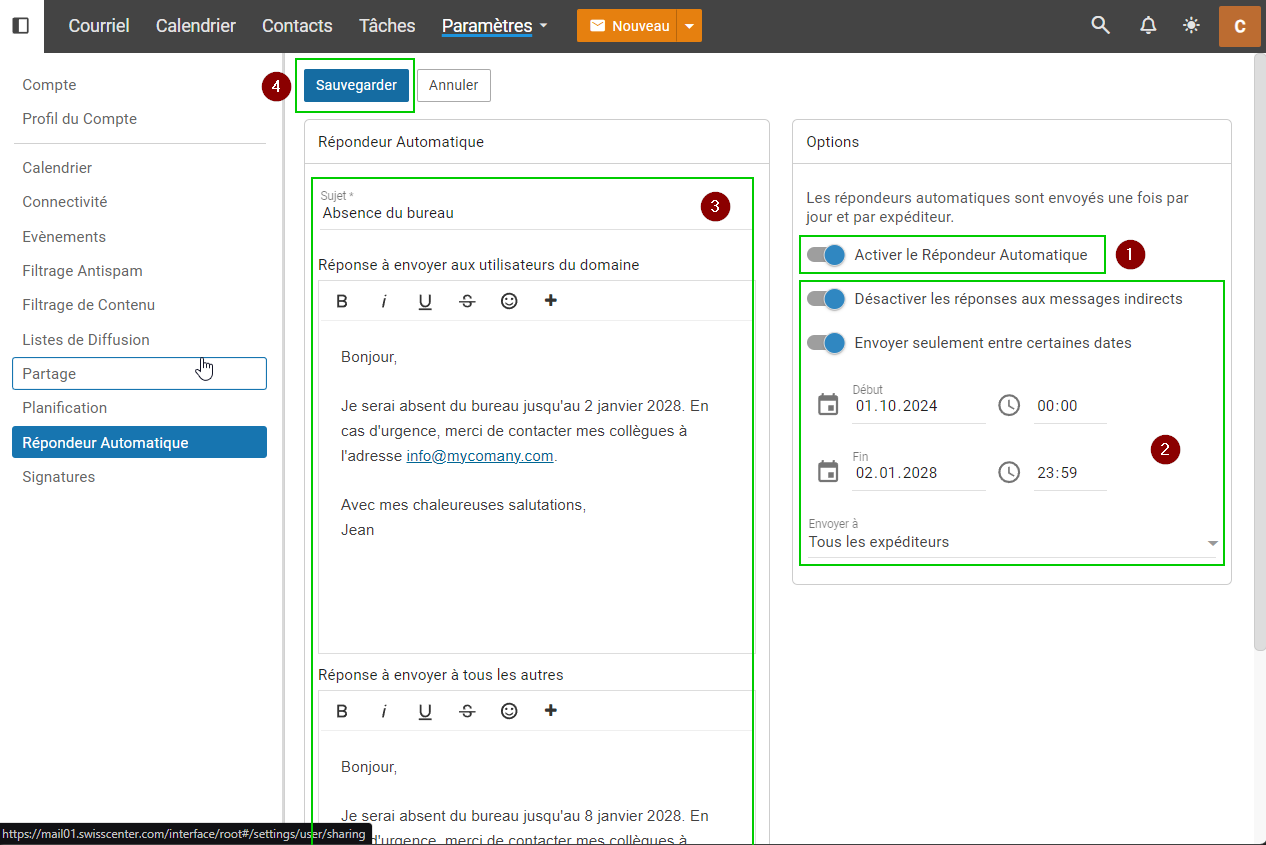
To check the result, send yourself an email from another address: you will receive the automatic reply and can adjust it if needed.
How do I disable the auto-responder?
Warning: remember to disable the auto-responder when you no longer wish to use it. To do so, disable the Enable auto-responder option, then save.
Going further