This guide explains how to change the password you use to log in to your Apanel console. This password is separate from the passwords of your email addresses.
In short: in the Apanel console, click My account, then, on the Profile and password tab, fill in Password and Password confirmation and click Save. All your sessions are then closed: log back in with the new password.
Prerequisites
What you need to know before you start
- The new password must comply with all of these rules:
| Rule |
Example |
| Between 12 and 30 characters |
MonMot2P@ss3! |
| At least one lowercase letter |
a to z |
| At least one uppercase letter |
A to Z |
| At least one digit |
0 to 9 |
| At least one special character |
^ ! , . $ # % ~ * : @ & + _ - ? |
- Saving a new password closes all your open sessions in the console, including the current one: you will have to log in again.
How do I change the password?
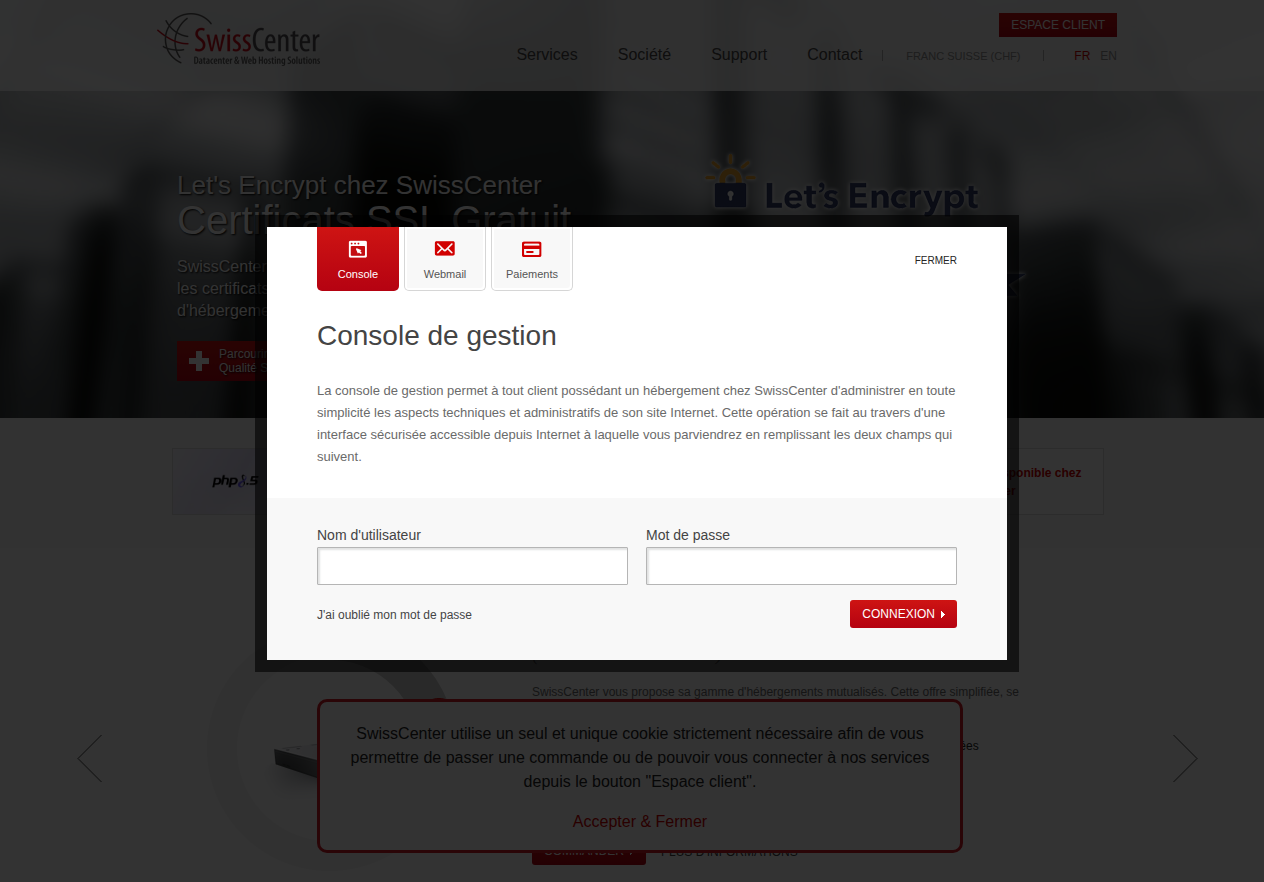
- Go to https://swisscenter.com/#console and log in to your Apanel console with your current username and password.
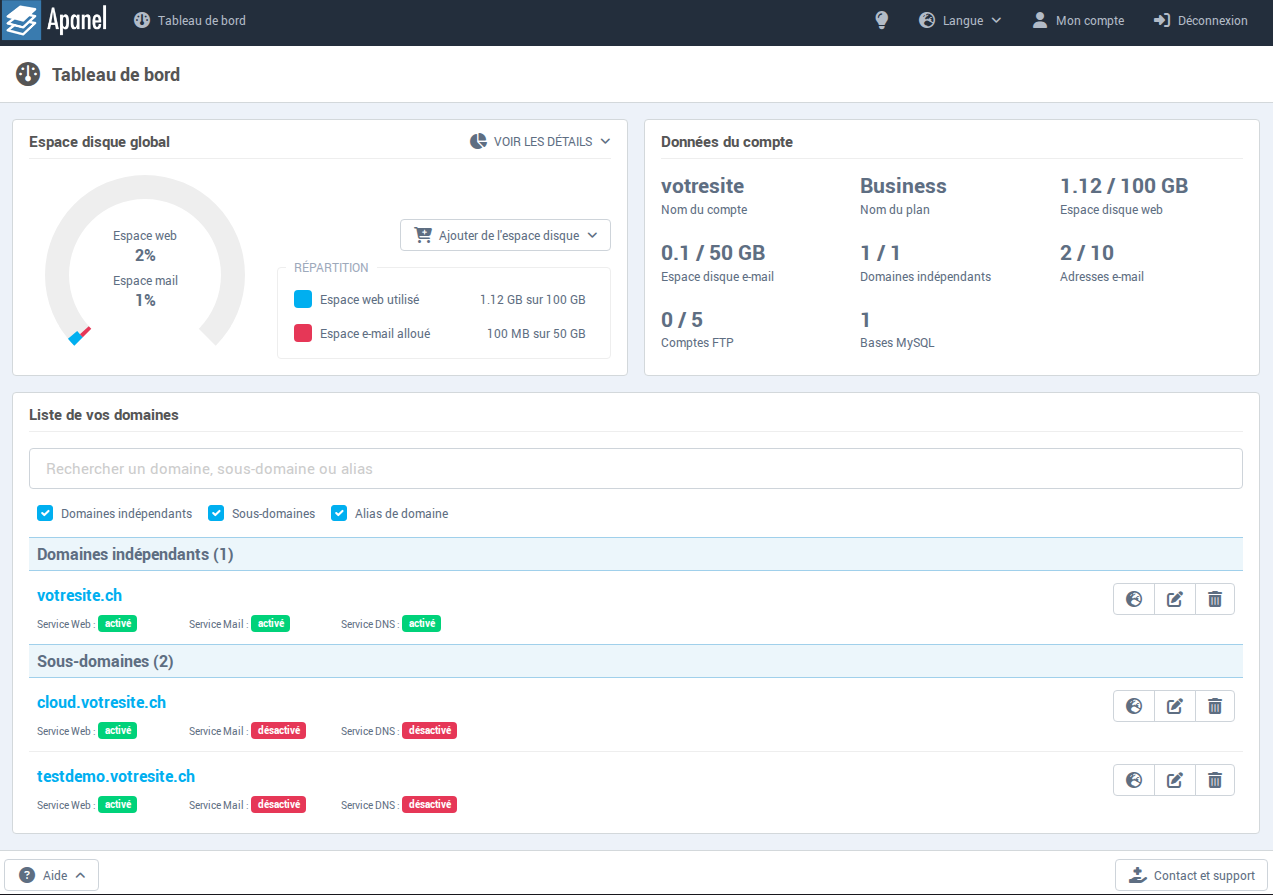
- You arrive on the Apanel console dashboard. Click My account in the top menu.
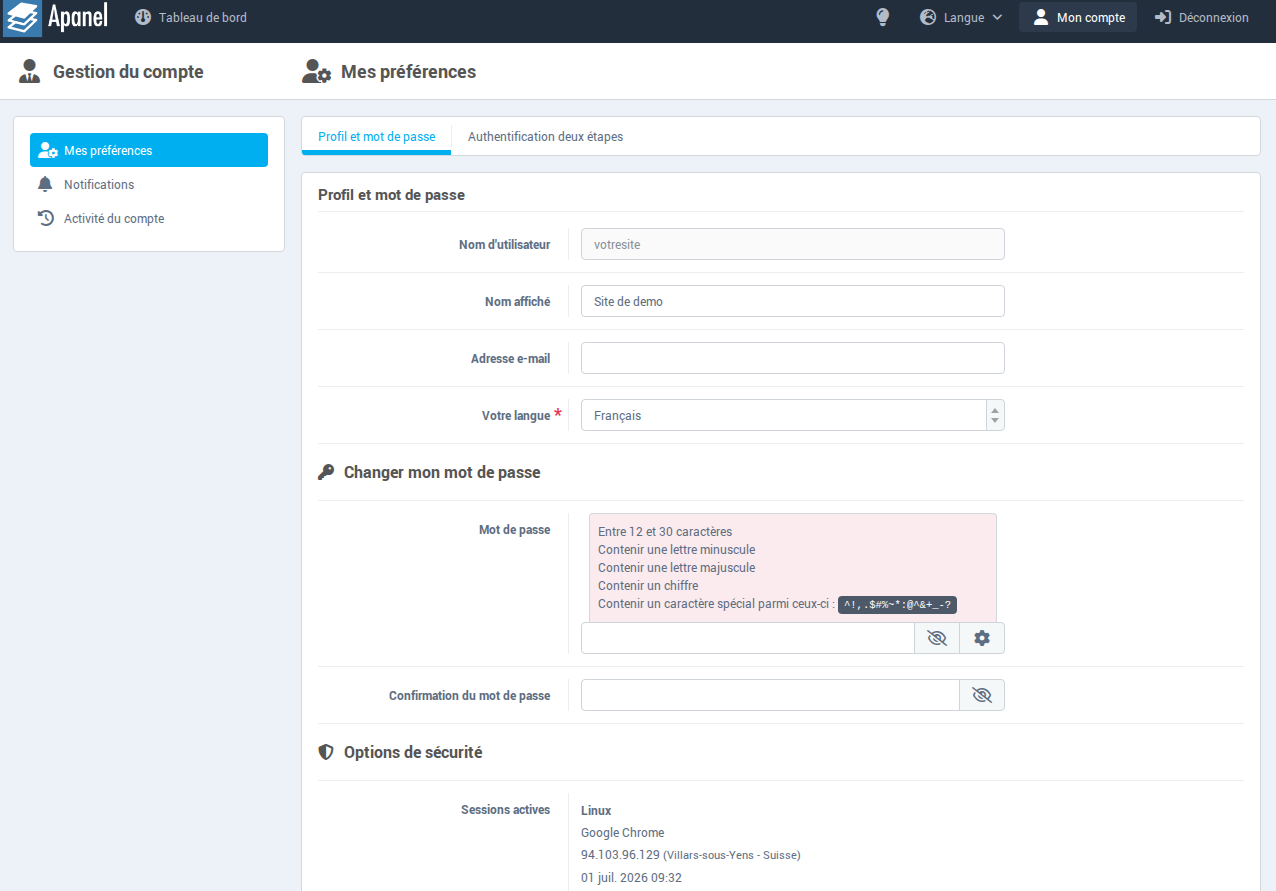
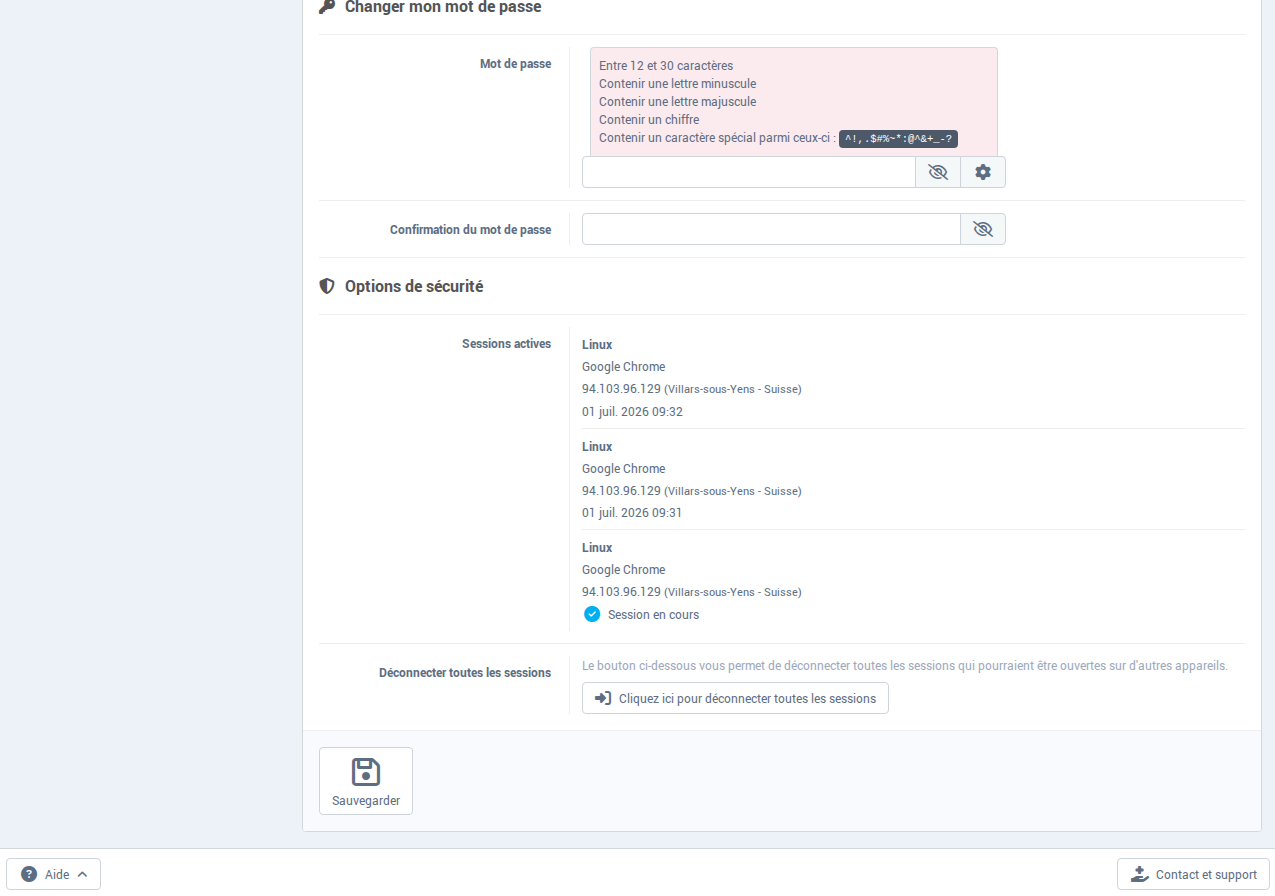
- The My preferences page opens on the Profile and password tab. Scroll down to the Change your password section.
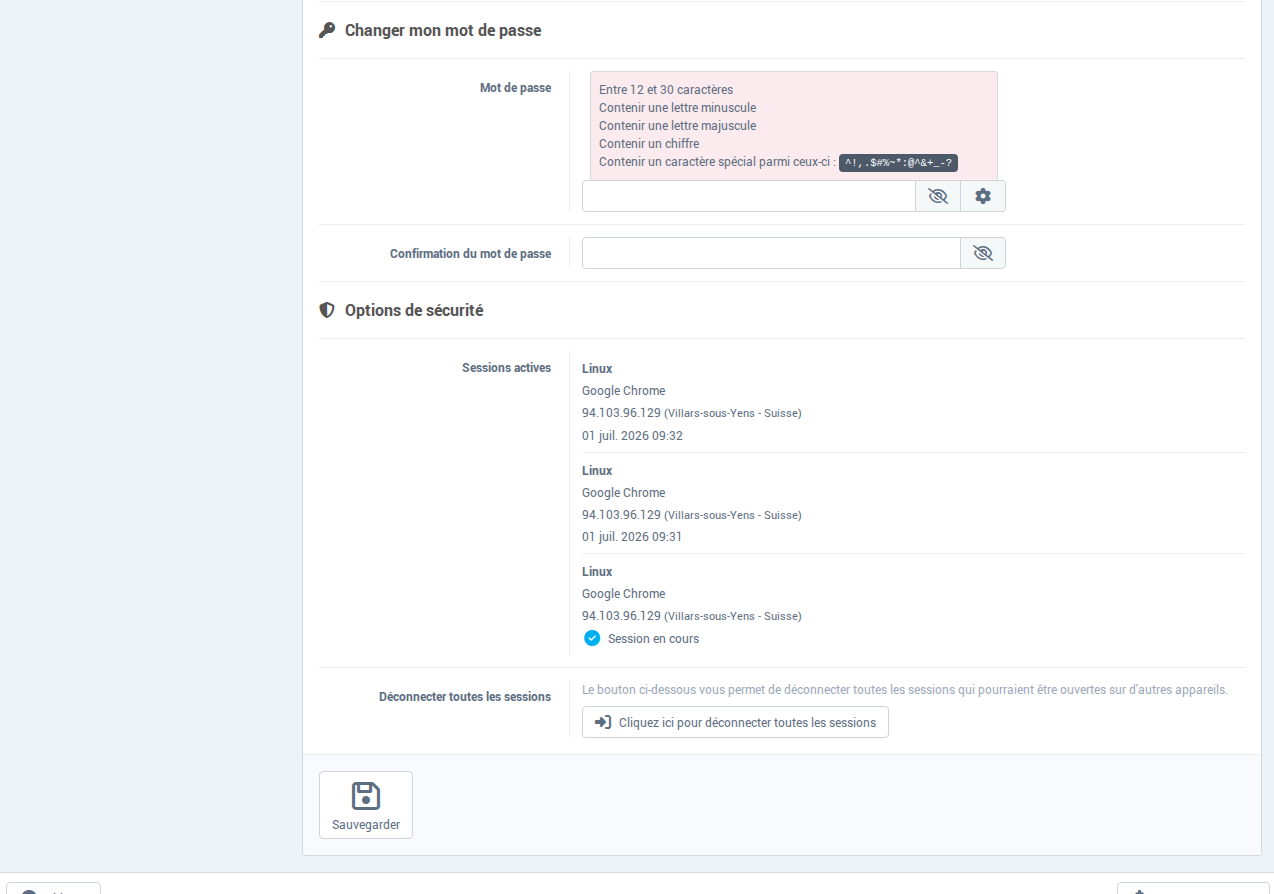
- Fill in both fields:
- Password: enter the new password. The buttons to the right of the field show the password in plain text (eye icon) or generate a random one (gear icon).
- Password confirmation: enter the same password again.
- Click Save.
- You are logged out. Log back in at https://swisscenter.com/#console with the new password.
Under Security options, the active sessions list shows the devices connected to your account. The Click here to disconnect all sessions button closes the sessions open on other devices without changing the password; after a password change it is not needed, since all sessions are already closed.
Troubleshooting
| Message |
Cause |
Solution |
| "The password entered does not match our password requirements" |
Rule not met |
Check the 5 rules above |
| "The two password must be the same" |
Confirmation differs |
Enter the same password in both fields |
| Unable to log back in |
Browser cache |
Use a private window or clear the cache |
Going further